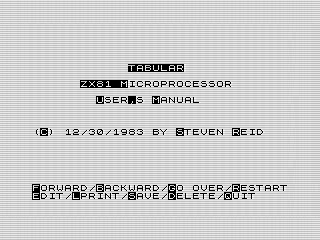
 To date, most of my programs have been games and animations. It may come as a surprise that I also wrote a word processing program. Using a custom printer command, I designed a font that would allow you to use lowercase letters. Let’s explore September’s program of the month to see how that worked.
Add in some letters.
The idea for Tabular started while reading The Art of Programing the 16K ZX81, by M. James and S. M. Gee. In that book, there is a routine that shows how to print custom characters on the ZX or TS2040 printer. Although it only showed one character, I found myself designing the rest to try it out.
It didn’t take long to complete and was soon printing out a lowercase alphabet to my printer. I even added some new punctuation to complete the font. Although passible, it could use a little work. For example, the stems are a bit high the n, causing confusion with h. Yet, for all its flaws it is readable and unique.
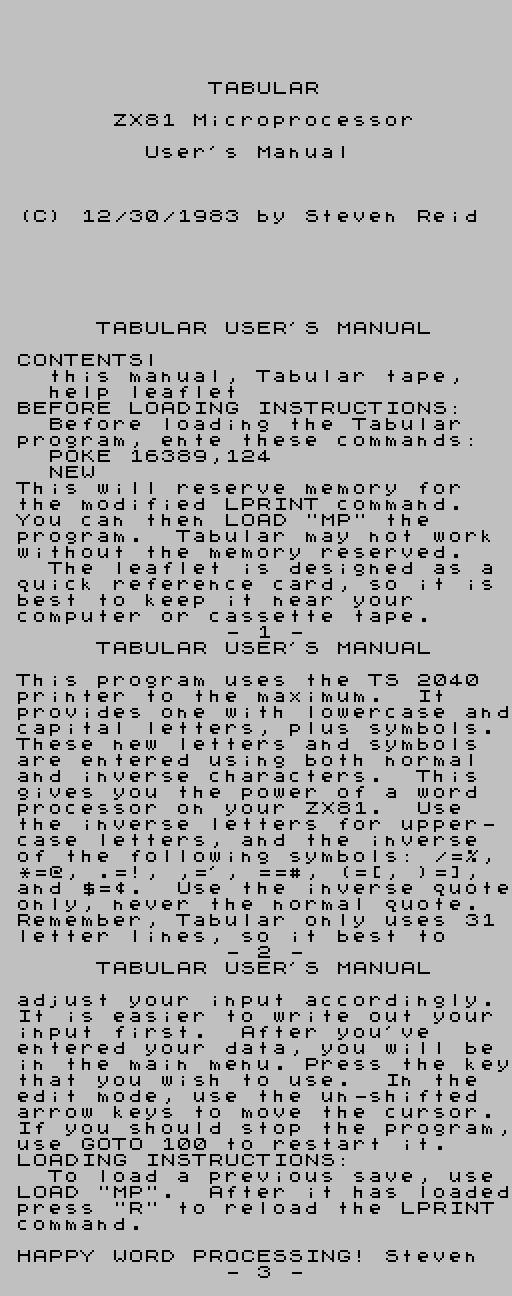
As an example, a compilation of the Tabular instruction manual:
Mix in an an interface.
Being able to print lowercase is nice, but not very practical. What I needed was a way to use it. It was then that the idea of creating a word processor came to mind.
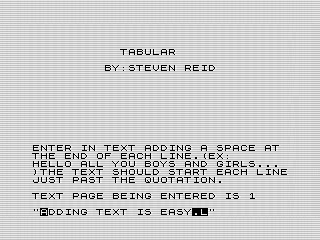 To start, I created a simple routine for allowing you to enter a page to print. To make things easy, you can enter the whole page at once using the default
 INPUT routine. It’s a bit tedious, but works.
Since the ZX81 has limited memory, I only allowed four pages to be created. Because of the way the routine worked, you couldn’t use the last character in the line. Thus, it puts a burden on the person entering the text to format the text as they want while typing.
Since you can’t actually use lowercase letters, I made it the default. Using inverse characters would print them in capitals, or in the new punctuation. The scheme works well and it is easy to read on the screen.
Now that I had text, I realized that I needed to provide options to use what was provided. Having reserved the bottom two lines for commands, I take the user to a new screen where they can decide what to do with each page.
Add some flourish.
To keep things simple, you manage one page at a time. You can flip between them using FORWARD and BACKWARD. The inverted character showing what key to press.
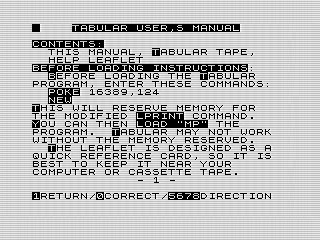 If you don’t like the page, you can GO OVER, which means input it again. There is also an EDIT routine, but it is a bit tedious to use. You can move the cursor to what you need to fix, but can only change one character a time. If you need to fix a line, the GO OVER command is a better option.
The RESTART option is confusing, but is used to reinsert the modified print routine. Although not needed for the online version, to use it for real you should reserve memory before loading the program. The manual tells you how all that works, but neglects to note that it clears memory when run. Be sure to save so you can reload your text, otherwise you’ll need to renter it.
If all looks well, you can finally print each page using LPRINT command. Note that it only prints the page you are on. This is handy as you can remove each page as you print. This is because the TS2040 printer uses a paper roll, so there is no clear break.
Since enter even four pages of text can be quite tedious, I added the option to SAVE your work. It is one of the few times I did that from within a program. It works quite well, even if using a tape was almost a tedious. It took a long time to save and load programs. Think five to ten minutes long. Quite different from today’s almost instant loads.
The last two options were DELETE, that cleared the current page. And QUIT, which stops the program. Neither is needed. You can delete a page by entering nothing when using GO OVER. As for quite, you can break the program or turn off the computer instead. But having both completed the look of the program.
Some lumps are normal.
Tabular is a bit of a weird name, which conveys tables of data. As a teenager, I liked the name, but not thinking about its meaning. To make it worse, I actually called it microprocessor to begin with. I meant it to be a small word processor, not a chip. But, it wasn’t written that way which is confusing. If I could only change one thing with the program, it would be to pick a better name.
Although the input routine works, I would like to get rid of it. Instead, I wish I’d spent more time on the edit mode. It wouldn’t have taken much to make that routine more functional. As is, the word processing functionality of the program is a bit weak.
Although not evident if using the JavaScript ZX81 emulator, Tabular uses a mix of FAST and SLOW. In some cases, it is needed. The insert and print routines are processing intensive. There isn’t any need to show the display during them. But, in other cases it is a annoying.
When you edit the page, you’ll see a good amount of flickering. For some reason, I reprint the array each time you move or edit a character. Because of the use of FAST, this causes the screen to flicker for no good reason. The only reason you see the display is because of a PAUSE command. Changing this would have sped up the editing routine, while making it more user friendly.
Outside of that, there are only trivial issues. I need to correct some spelling errors, and using better command names. I did fix a bug in the edit command where I used the wrong line length. Leaving it would have been confusing and ruined the functionality of the command.
Wrap it up.
Fixes aside, Tabular is a pretty neat little program. I’m still pretty proud of it after all these years. Not bad for a 14 year old using an underpowered computer.
Originally published at www.reids4fun.com on September 25, 2017.
-----------------------
All comments and posts are owned by the poster.
[End News] | [Return Home]